Transform
Dalgo runs data transformations (data cleaning, joining, computation) using dbt (data build tool).
When you navigate to the Transform page, Dalgo automatically sets up a managed dbt workspace for your organisation. This includes creating a private Git repository managed by Dalgo and scaffolding an initial dbt project.
Getting Started
- Select Transform on the left menu panel.
- On your first visit, Dalgo will automatically set up a managed dbt workspace. This creates:
- A private Git repository managed by Dalgo
- A scaffolded dbt project with default configuration
- System tasks like
dbt-run,dbt-test, anddbt-deps
Once the workspace is ready, you will see two tabs: UI Transform and DBT Transform.
UI Transform
The UI Transform tab provides a visual canvas for building dbt models without writing SQL directly.
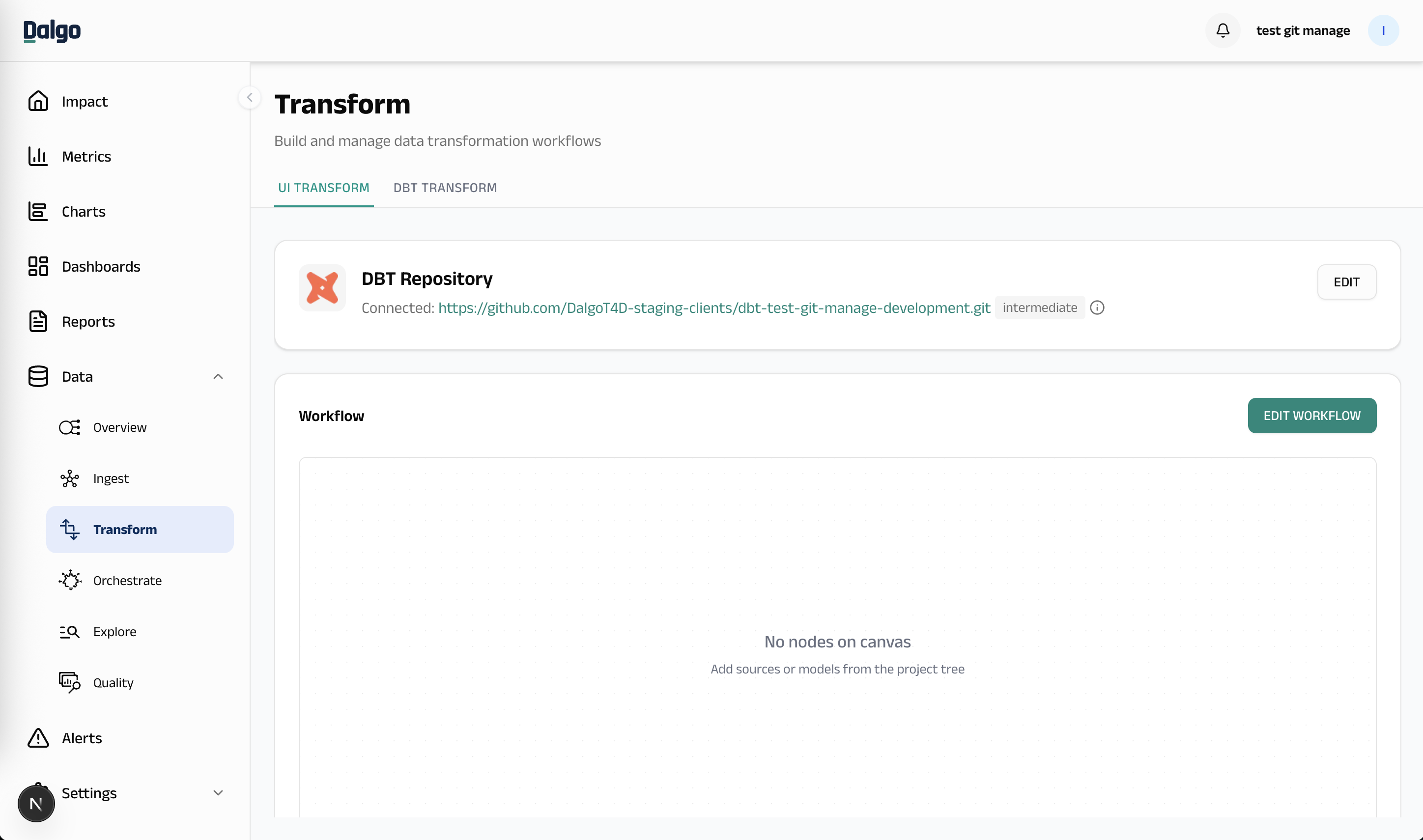
- Workflow Canvas: A visual editor where you can create and connect dbt models by dragging and dropping operations
- Edit Workflow: Click the "Edit Workflow" button to open the full canvas editor
- Publish: Once you are happy with your changes, publish them to commit and push to the Git repository
DBT Transform
The DBT Transform tab is for users who work directly with dbt commands.
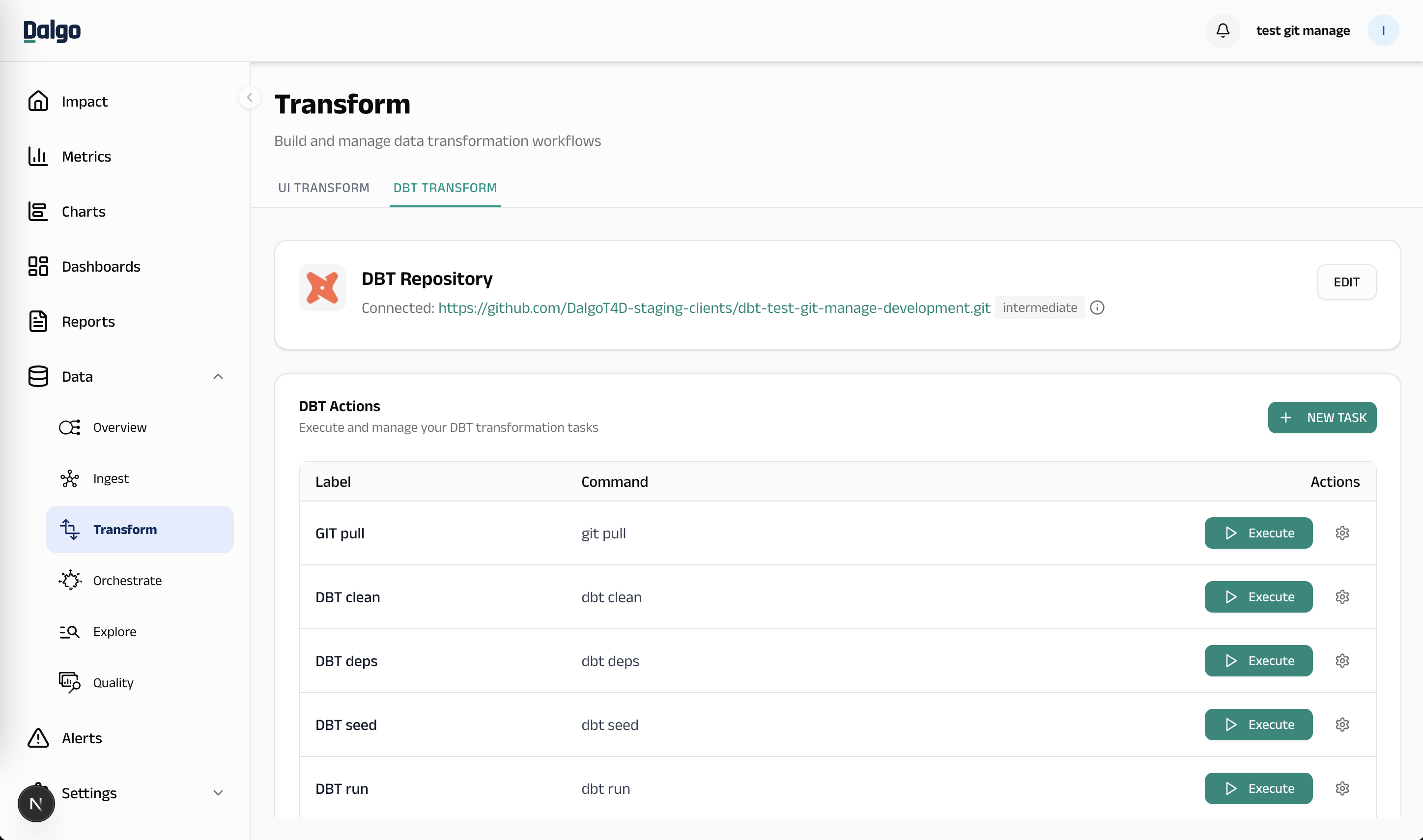
Repository Card
At the top of both tabs you will see the DBT Repository card, which shows:
- The connected Git repository URL
- The default schema (e.g.,
intermediate) - An info icon (for managed repos) indicating the repository is created and managed by Dalgo
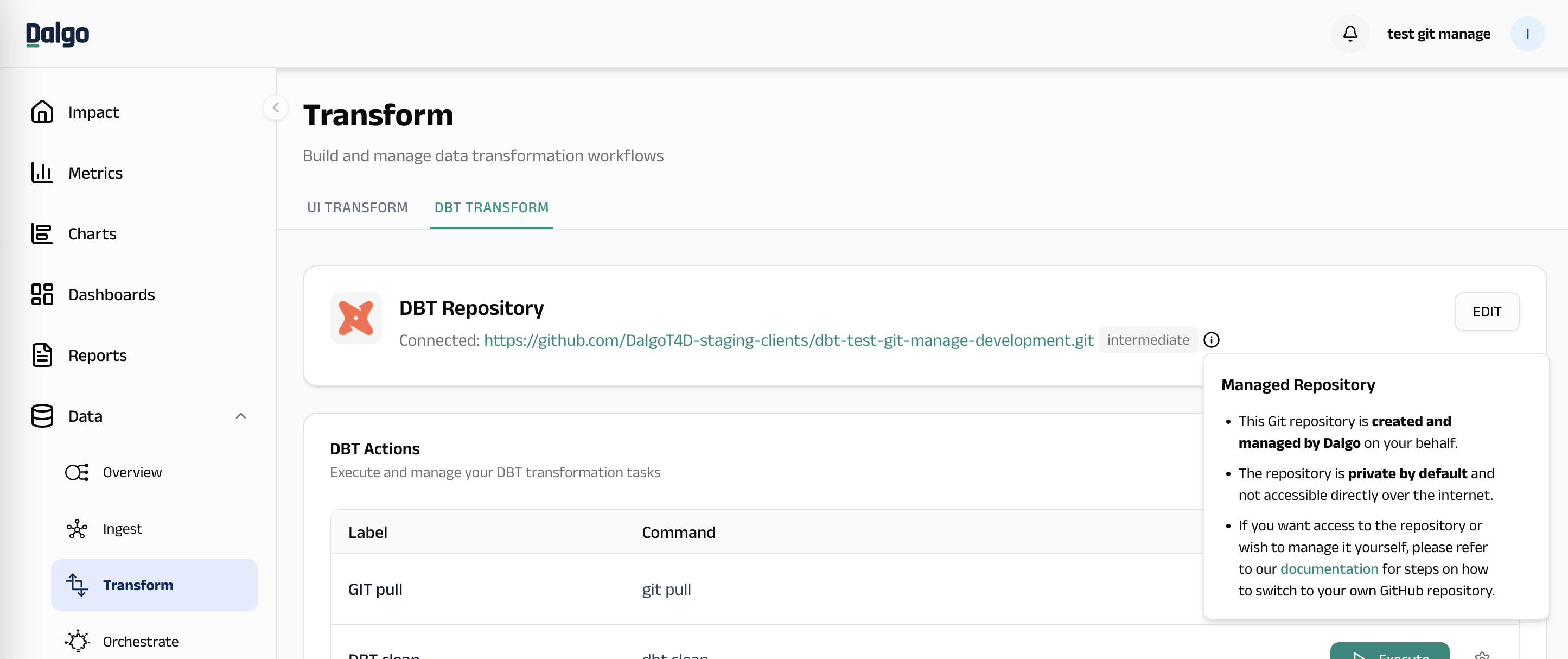
If you need access to the managed Git repository, please reach out to us on Discord.
Running Tasks
The task list shows all available dbt tasks:
- dbt-run: Executes your dbt models
- dbt-test: Runs your dbt tests
- dbt-deps: Installs dbt package dependencies
- dbt-docs-generate: Generates dbt documentation
Click the Run button next to any task to execute it. Logs will be displayed inline below the task.
Creating Custom Tasks
- Click the New Task button
- Select a task type from the dropdown
- Configure any flags or options
- Review the command preview
- Click Create to add the task
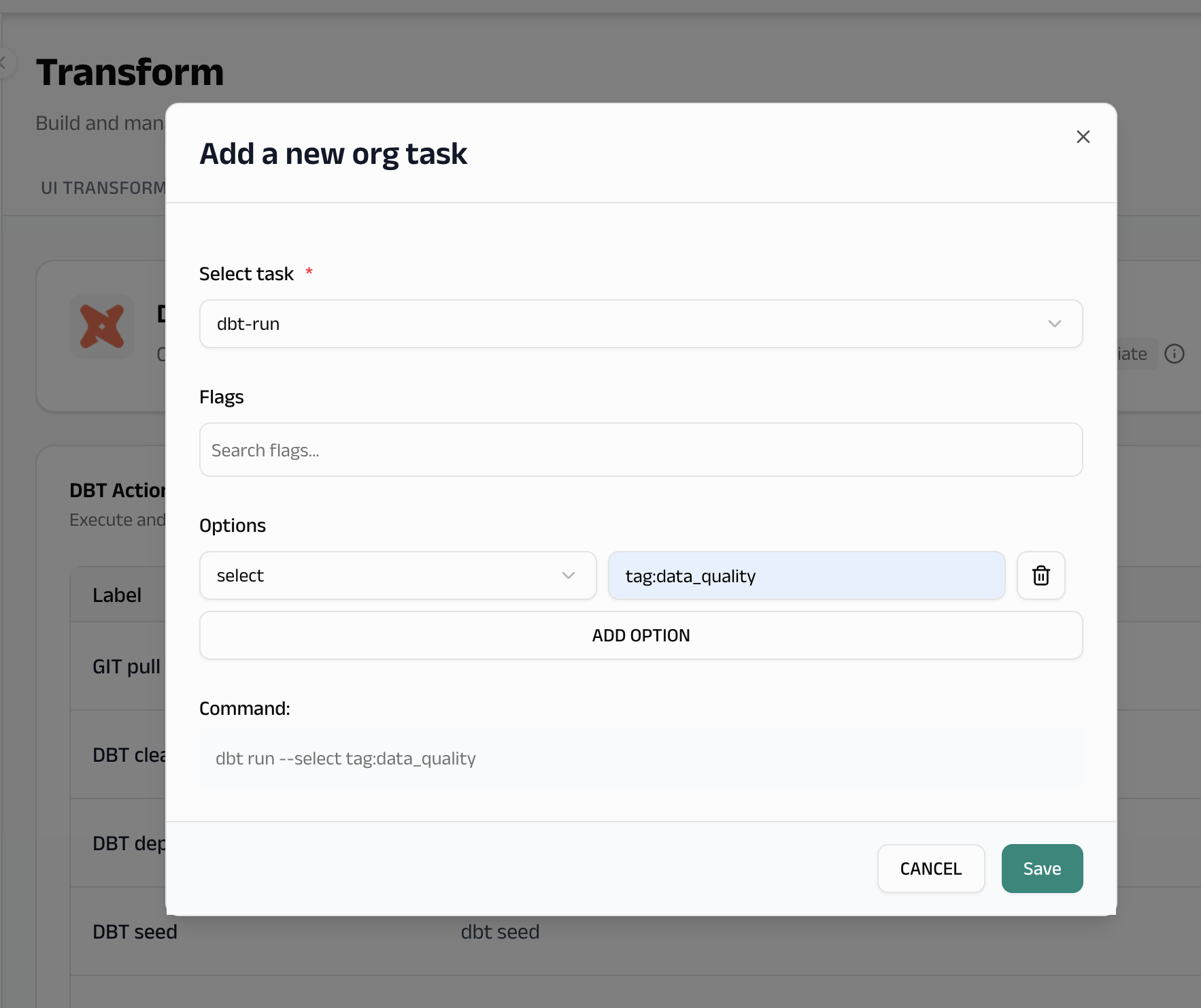
Custom tasks will appear in your task list and can be deleted when no longer needed.
Switching to Your Own GitHub Repository
By default, Dalgo manages the Git repository for you. If you want to use your own GitHub repository instead:
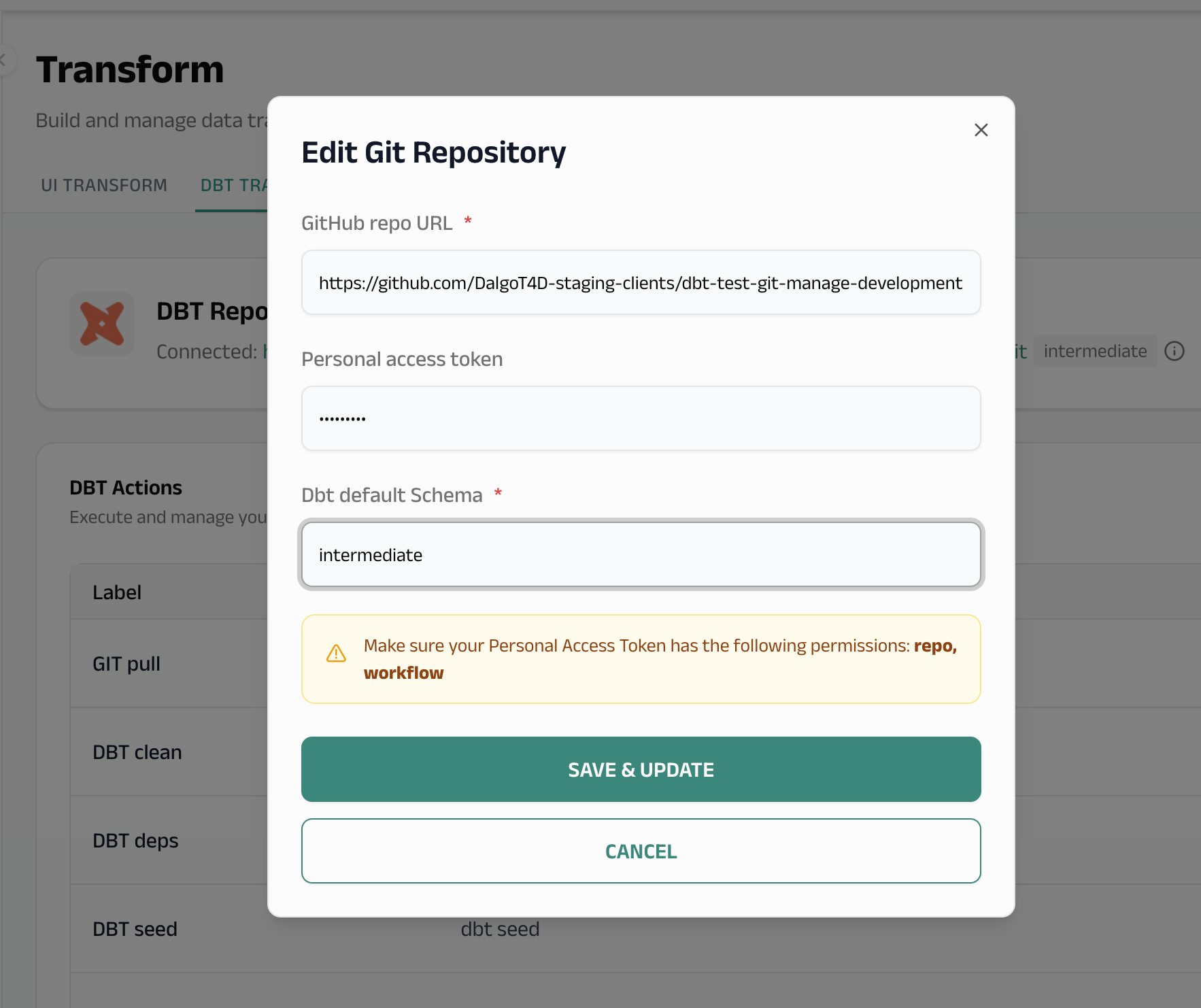
- Click the Edit button on the DBT Repository card
- Enter your GitHub repository URL (e.g.,
https://github.com/your-org/your-dbt-repo) - Enter a Personal Access Token (PAT) with the following permissions:
repo(full control of private repositories)workflow(update GitHub Action workflows)
- Set the default schema for your dbt project
- Click Save & Update
What happens when you switch
-
If your external repo is empty: Dalgo will copy your existing models from the managed repository into your external repository, so you don't lose any work.
-
If your external repo already has a dbt project: Dalgo will use the existing project from your external repository.
warningAny models created in the managed workspace will not be carried over when switching to a non-empty external repository.
After switching, the is_repo_managed_by_system flag is set to false, and you will manage the repository yourself (commits, branches, etc.).
Switching between external (not managed by Dalgo) repositories
You can also switch from one external repository to another using the same Edit flow. The new repository is always cloned fresh.
Models from the previous repository are not migrated to the new one. Model migration is only supported when switching from a Dalgo-managed repository to an empty external repository.